
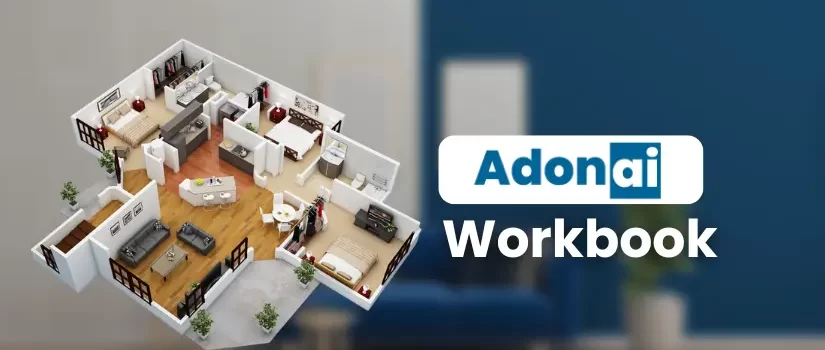
Mastering Adonai: Redefining Interior Design with Advanced Tools and Techniques
In the ever-evolving world of interior design, staying ahead of the curve is crucial. As technology continues to shape industries, 3D design and visualization have become indispensable tools for designers and architects. One such game-changing software is Adonai. Adonai offers cutting-edge 3D cloud-based design tools, providing designers with advanced capabilities to create immersive and realistic experiences. Whether you’re looking to enhance your design skills, create stunning visualizations, or streamline your workflow, Adonai can help you achieve it.
we will dive deep into the features, training structure, and step-by-step exercises that will help you master Adonai. From basic design operations to advanced modeling and rendering techniques, we will guide you through everything you need to know to unlock the full potential of this powerful software.

About Adonai
Adonai is a high-tech 3D cloud-based designing software, primarily used by interior designers and furnishing brands. In India, the developers behind Adonai, have committed to providing designers with robust 3D visualization tools that offer immersive experiences for their clients. Through advanced features such as real-time ray tracing technology, animated walk-throughs, and seamless product-to-production integrations, Adonai is setting the bar for the future of interior design.

Design-to-Manufacture System: Adonai boosts productivity by connecting design workflows with the manufacturing process, ensuring a seamless transition from concept to reality.
These features, combined with its easy-to-use interface, make Adonai a powerful tool for both budding and professional designers.
Why Choose Adonai?
Adonai stands out for several reasons:
Design and Render: The software allows users to easily plan and customize their spaces, impressing clients with 4K visualizations in no time.
Animations: With Adonai, designers can create mind-blowing animated walk-throughs that bring projects to life, powered by real-time ray tracing.
Brand Gallery: Access a library of over 30 million 3D models and materials. Plus, if you’re a brand, you can showcase your products within this extensive gallery.
Training Structure for Mastering Adonai
To help you get started with Adonai and make the most of its features, a structured training program is available. The training is divided into two full days, focusing on both the fundamental and advanced aspects of using Adonai.

Day 1: Introduction to Adonai and Basic Design Operations
Adonai Introduction: Learn about the software, its capabilities, and how it can help you elevate your design projects.
Basic Design Operations: Get comfortable navigating Adonai’s user interface, understanding the core functions, and creating basic designs.
Wardrobe Design: Explore how to design wardrobes, cabinets, and other furniture pieces with Adonai’s comprehensive tools.
Kitchen Cabinet Design: Learn the step-by-step process of designing kitchen cabinets that perfectly suit your client’s needs.
Rendering: Understand the basics of rendering your designs into photorealistic images and how to make the most of this feature.
Day 2: Advanced Design Techniques
Ceiling Design: Learn how to design and enhance ceiling layouts, using Adonai’s powerful ceiling editor.
Wall Design: Explore various wall design options, including using wall panels, textures, and materials.
Tiling Design: Master the process of designing tiling layouts that complement your overall design vision.
Panorama: Create breathtaking panoramic views that allow you to present your designs in a more immersive way.
Custom Modeling: Dive into custom modeling techniques, enabling you to create unique designs and elements for your projects.
Training Details and Schedule
Adonai’s training spans over two days, from 10 AM to 6 PM each day. The schedule includes both theoretical sessions and hands-on exercises to give participants a well-rounded understanding of the software. The sessions are structured to cover both beginner-level basics and advanced design concepts, with ample time for practice and Q&A.

Advanced Features for Design Precision
Adonai’s tools go beyond basic design. With features such as:
Real-time Ray Tracing for Rendering: Generate photorealistic visualizations that can be shared with clients.
3D Model Library: Access a vast collection of 3D models, from furniture to architectural elements, all at your fingertips.
Advanced Custom Modeling: Create custom models that fit the exact requirements of your project, giving you the flexibility to innovate.
Design to Manufacture System: Streamline your workflow by connecting your designs directly to the manufacturing process, ensuring accurate and timely production.
Exercises: Putting Theory into Practice
The real magic of Adonai happens when you start applying what you’ve learned. The training is designed to be hands-on, with practical exercises to help you gain mastery over the software.
Final Thoughts
Mastering Adonai will allow you to take your interior design projects to the next level. With its user-friendly interface, powerful tools, and vast library of 3D models, Adonai enables you to create stunning designs, impress your clients, and streamline your workflow. By following the structured training and engaging in the practical exercises provided, you’ll become proficient in using this advanced design software to transform your creative visions into reality.
Whether you are just starting or already a seasoned designer, Adonai offers something for everyone. So, why wait? Start exploring the world of Adonai and redefine your interior design projects today!
For more detailed information and to access the full workbook